Every laptop, license, and loan — tracked in one place

IT Asset Management & Software License Tracking System

TrackMe brings hardware assets, device telemetry, software licenses, assignments, and renewals into one clear workspace.

Keep the full picture on the web, then scan labels, find equipment, and update inventory from the TrackMe mobile app.

Try free for 30 days, then $33/month.

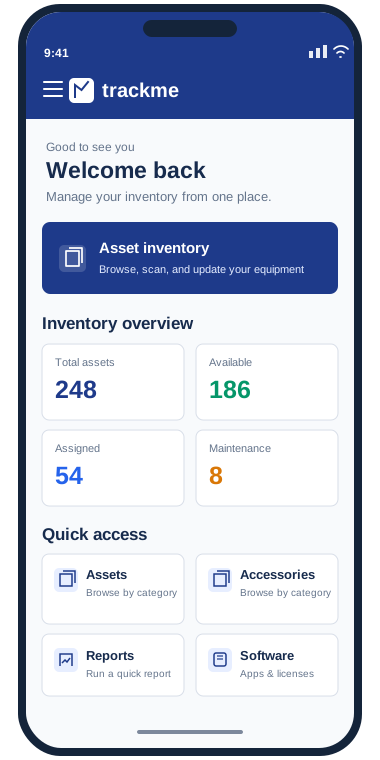
Illustrated preview of the TrackMe mobile dashboard, with asset status cards, quick access, and recent activity
TrackMe mobile — inventory at a glance
The web workspace

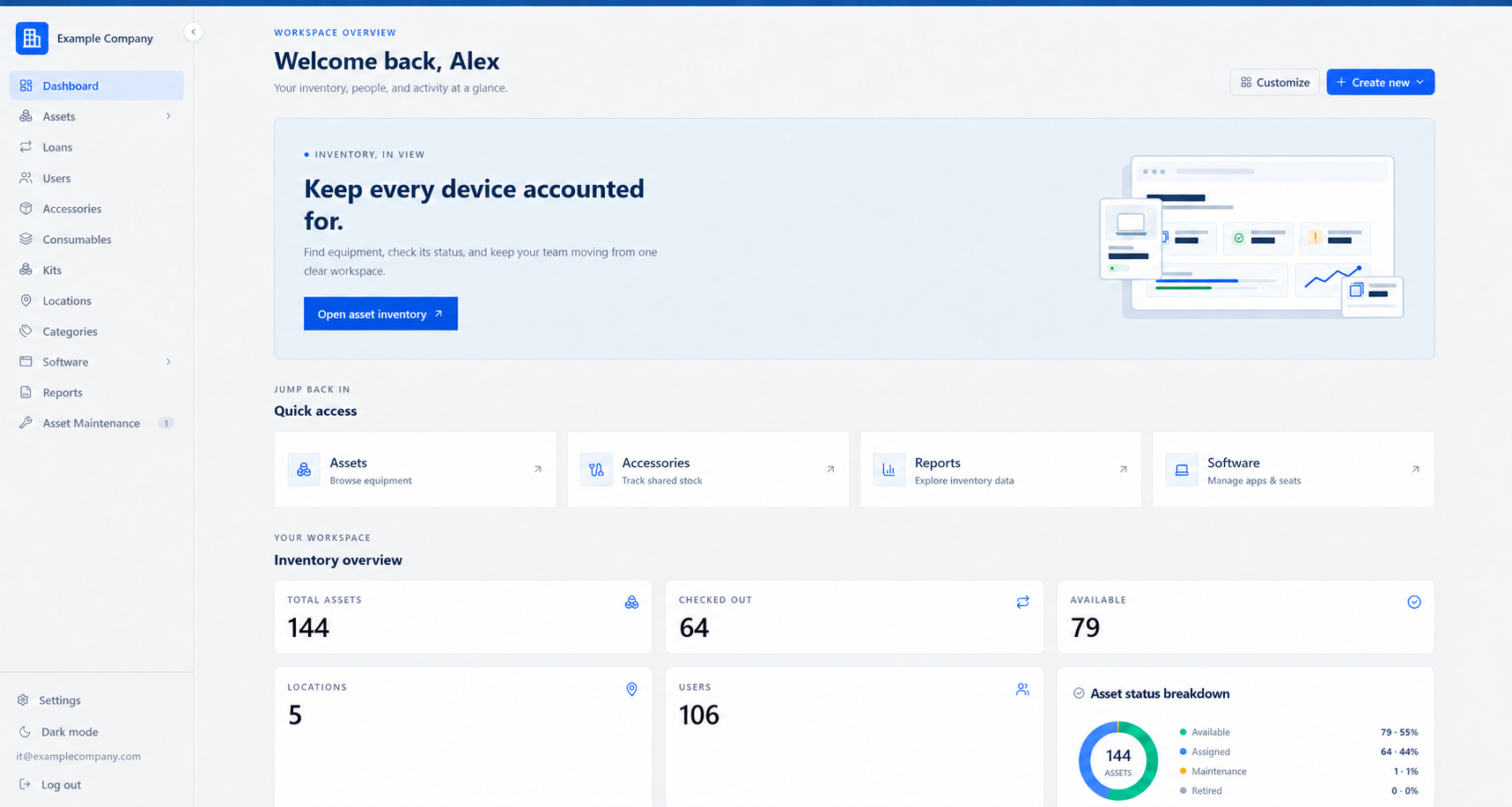
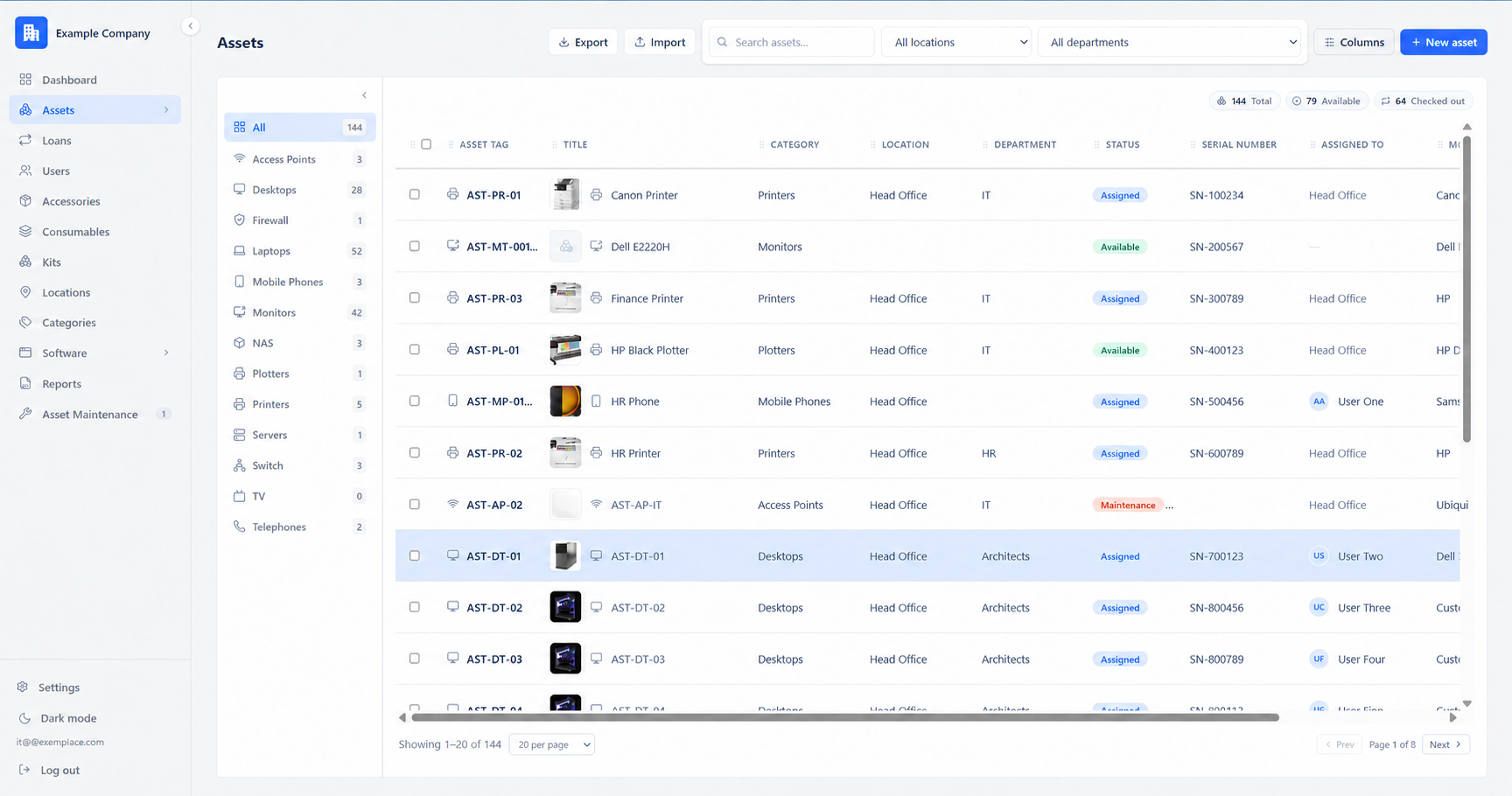
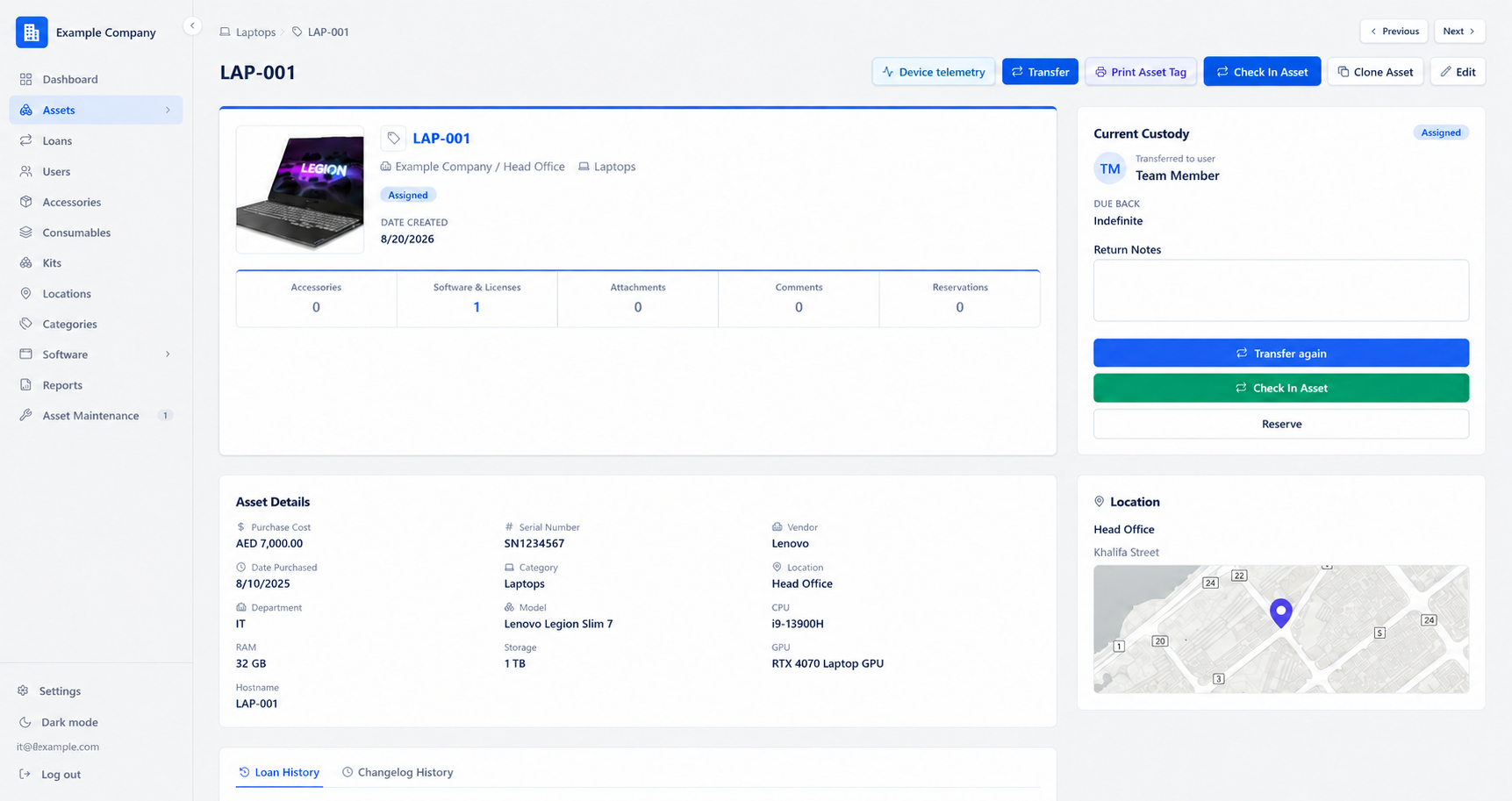
One inventory, from dashboard to detail

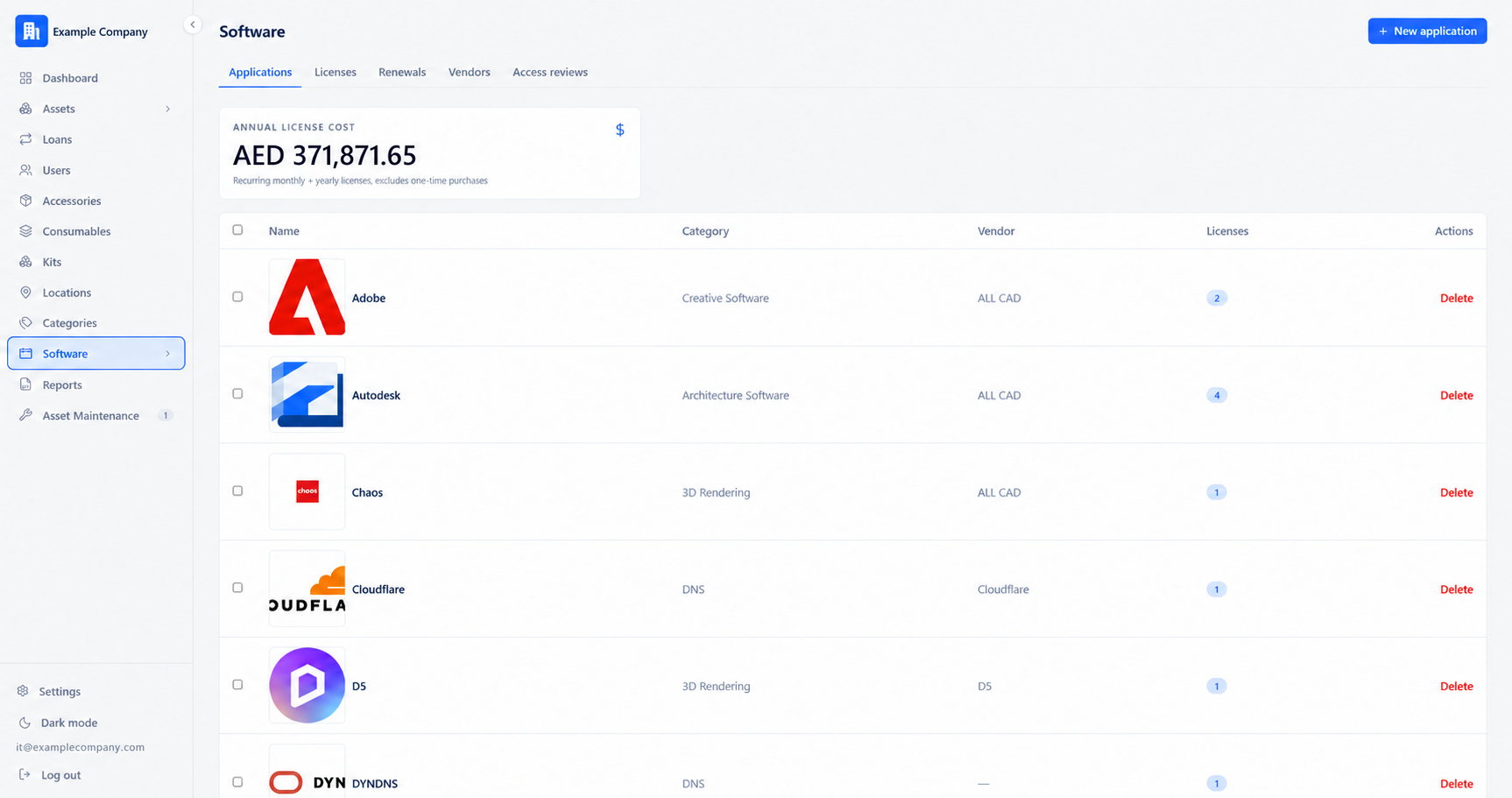
See how the web app brings assets, assignments, and licenses together for your team.

One asset, one connected journey

From a new device to a scan in your hand.

Follow the same asset as your team records it, prints its tag, and opens it with the TrackMe Android app.

01   Add it to TrackMe

Start with an asset record.

Enter a laptop manually, import it from a CSV, or approve it from Discovered Devices after the Windows agent checks in. Set its asset tag and add model, serial number, and location details as available.

Asset record created
New asset Example
Design laptopAvailable · Head office
Asset tagLT-2041
Serial numberTM-24-014
ModelLatitude 7440
CategoryLaptops
02   Make it scannable

Print a tag for the physical device.

Choose the asset in the web app, open Print Asset Tags, and use a QR or barcode template. Print the label and attach it to the device. The code carries a unique scan token that points back to its TrackMe record.

Label printed and attached
Print asset tag Example
TRACKME · ASSETLT-2041Design laptop
Illustrative label · QR artwork is not a working tag
03   Find it on the move

Scan the tag with the mobile app.

Open Scan in the TrackMe Android app and point the camera at the printed QR or barcode. The app looks up the scan token and opens the matching asset, so its details and history are in your hand.

The right asset opens on mobile
TrackMe mobile Example
Scan asset tag
Asset found · LT-2041Design laptop · Open details
Device discovery + telemetry

Know the machine behind every asset record.

Bring Windows devices into inventory with the discovery agent. Review each new device before adding it, then see its reported hardware and latest check-in alongside the asset.

Identify the hardware

See hostname, serial number, CPU, RAM, GPU, and total drive capacity reported by the device.

See when it checked in

Review the last check-in, operating system, signed-in user, and network details in the device view.

Approve before it becomes an asset

Discovered devices wait for review. Approve a new asset or link the agent to an existing one.

See how TrackMe works
Device telemetry Example data
DESIGN-LT-014Windows 11 · Laptop
Reporting
Serial numberTM-24-08-014
CPUIntel Core i7
RAM16 GB
Total storage1 TB
GPUNVIDIA RTX 3050
Last check-inRecently reported
Hardware details stay attached to the asset after approval
Everything IT needs

Manage all your IT assets and software licenses in one system

Built for the day-to-day of running IT — identifying a device, issuing a laptop, renewing a license, and finding out who still has the projector.

Full asset lifecycle

Track every laptop, monitor, and phone from purchase to retirement — with photos, custom fields, categories, and locations tailored to how your org actually works.

IT asset management →

License & seat management

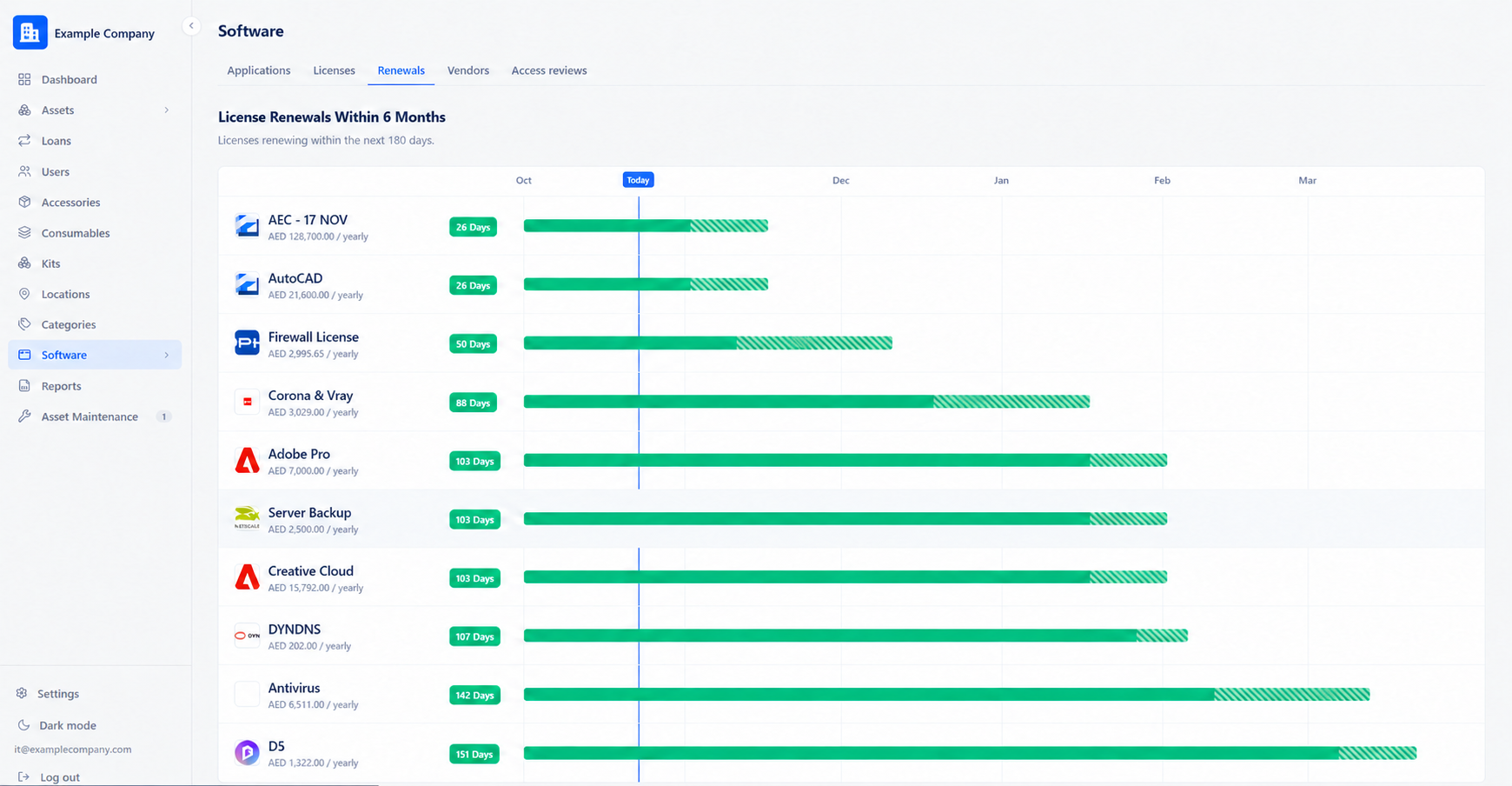
Tie every software license to an application, assign seats to people or devices, and get renewal alerts before you're caught off guard — or over-paying for unused seats.

Software license tracking →

Scannable tag printing

Design and print QR or barcode asset tags with a drag-and-drop editor — control exactly what's on the label, from logo placement down to whether the tag text shows at all.

Checkout & loan tracking

Check equipment out to people or locations, set due dates, and see the full history of who's had what — no more chasing down "who has the loaner iPad."

Asset assignment & checkout tracking →

Custom fields & reporting

Add the fields that matter to your org, then build reports and export CSVs across assets, licenses, and loans — the data is yours, structured your way.

Your own private workspace

Every company gets an isolated workspace on its own subdomain — your data never mixes with anyone else's, with role-based access for admins, managers, and staff.

Who it's for

Who is TrackMe for?

TrackMe is built for IT teams — often small ones — who are managing hardware and software licenses in a spreadsheet, or across several disconnected tools, and want one system that covers both. Read more in What is TrackMe?

Pricing

One plan, everything included

A monthly subscription — we run it, back it up, and keep it updated.

Hosted

$33 /month

Your own workspace on trackme.cloud — we run it, back it up, and keep it updated.

  • Set up in a few minutes
  • Automatic updates & backups
  • No infrastructure to manage
Get started
Questions

Frequently asked questions

What is TrackMe?

TrackMe is a hosted IT asset management and software license tracking system. It keeps a centralized record of hardware assets, software licenses, users, and assignments, with checkout and loan tracking and license renewal alerts in one dashboard.

What types of IT assets can TrackMe manage?

Hardware such as laptops, monitors, phones, and other equipment, with photos, categories, locations, and custom fields. Learn more about IT asset management in TrackMe.

Can TrackMe track software licenses?

Yes. You can tie each software license to an application, assign seats to specific people or devices, and get alerts before a license renews or before you are paying for seats nobody is using. See software license tracking.

Can TrackMe track which employee has a company laptop?

Yes. You can check equipment out to a person or a location, set a due date, and see the full history of who has had a given asset. See asset assignment & checkout tracking.

What does device telemetry show?

For enrolled devices, TrackMe shows reported hardware such as serial number, CPU, RAM, GPU, and total storage, plus the last check-in. An admin reviews a newly discovered device before adding or linking it to an asset.

How much does TrackMe cost?

TrackMe is $33 per month, flat, with hosting, backups, and updates included for your whole workspace. More answers are on the full FAQ.

Stop tracking assets in a spreadsheet

Subscribe and get started in minutes.